
The 15.6"–21.5" Gold Standard: Choosing a Compact Kiosk Form Factor for 2026 Transactional Rollouts
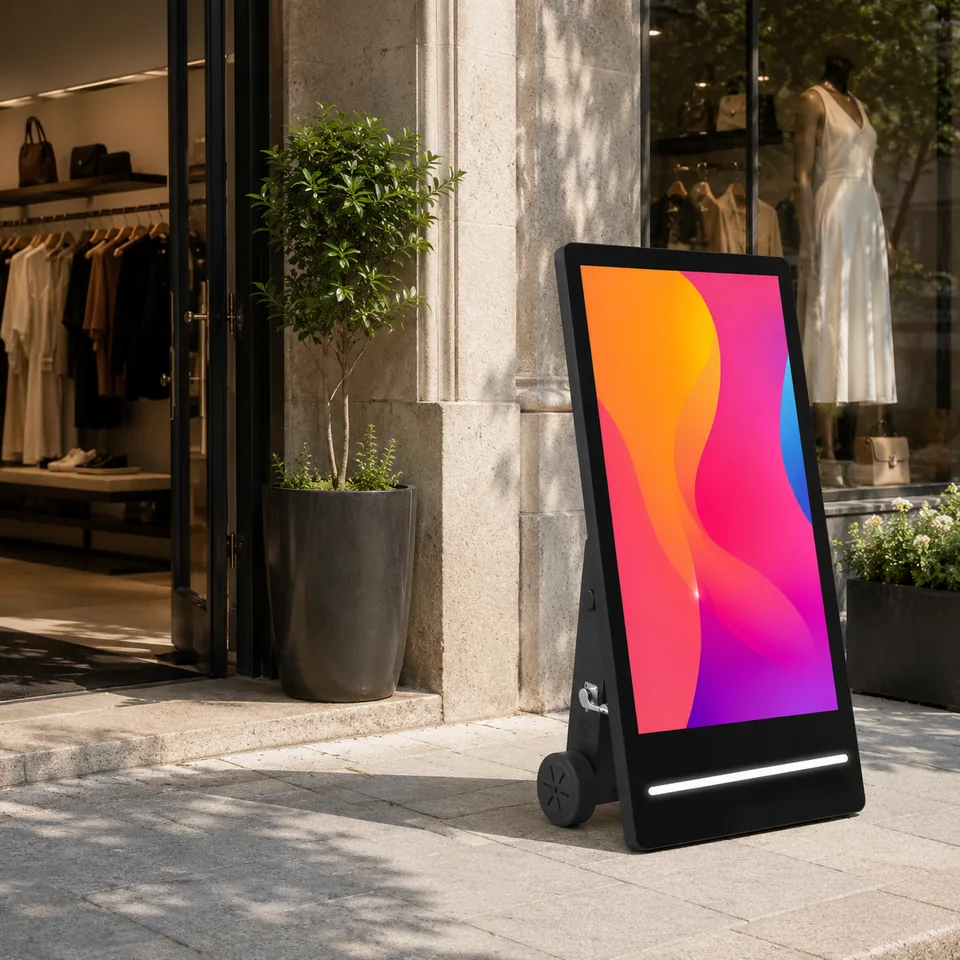
Choosing a compact kiosk form factor is the single highest-leverage decision in a 2026 transactional rollout: it sets floor space, BOM cost, accessibility eligibility, and OEM/ODM lead time. By the end of this guide you’ll be able to score any deployment against a four-lever sizing rule and decide between a 15.6-inch vs 21.5-inch kiosk with confidence.
The compact shift: what the 15.6”–21.5” range is and why it’s called the gold standard
The compact kiosk form factor refers to self-service units in the 15.6”–21.5” touchscreen range, and the industry now treats it as the default for transactional deployments. TCANG’s 2026 self-service technology trends report names this span a “Gold Standard” size, citing space efficiency, countertop dominance, flexible VESA wall-mount deployment, and user privacy at payment entry as its advantages ([1]). The framework that follows translates that trend into a repeatable decision rule.
For a practical vendor example, readers can review custom Android tablet factory.
The 2026 deployment context: Android Enterprise and right-sized hardware
Compact right-sizing is viable in 2026 because the operating model makes it operationally simple. An enterprise kiosk is now defined as an Android Enterprise Dedicated Device built on three technical pillars—zero-touch deployment from shipping box to mounting bracket, immutable lockdown that hides the OS entirely, and remote survivability that lets admins patch devices without a truck roll ([3]). Buyers comparing form factors see a range of 10.1”–31.5” at 2026 NRF/RetailNow exhibits ([2]), which brackets the 15.6”–21.5” zone as the countertop sweet spot. Note that vendor positioning like Hexnode’s is supplier guidance; verify technical requirements against your own environment.
The decision framework: when compact right-sizing wins
Score each candidate against four levers rather than screen size alone. This rule separates the deployments where a compact unit genuinely wins from those where it becomes a bottleneck.
- Placement – Countertop and VESA wall-mount favor compact; floor-standing totems usually want a larger panel.
- Interaction depth – Single-transaction flows (order, pay, check-in) suit compact; browse-heavy, navigation-heavy flows outgrow it.
- Accessibility inputs – If audio, tactile, or alternative input is required, pure touchscreen-only fails (see the accessibility section below).
- BOM cost and footprint – Compact units reduce enclosure, shipping, and counter/totem material cost.
| Decision lever | Stay compact (15.6”–21.5”) | Go larger or add secondary display |
|---|---|---|
| Placement | Countertop, VESA wall-mount | Floor-standing totem, signage-plus-transaction |
| Interaction depth | Single-transaction | Browse/navigation-heavy, wayfinding |
| Accessibility inputs | Multi-modal supported | Needs contrast/scale at distance |
| BOM & footprint | Tight footprint, cost-sensitive | Ad-revenue or dual-purpose placement |
The rule collapses to: stay compact when the compact kiosk form factor serves a single, bounded transaction at a counter or wall with multi-modal input available; go larger when placement, depth, or accessibility grows the interaction.
15.6” vs 21.5”: sizing the two countertop workhorses
Within the compact range, the two dominant sizes serve different countertop roles. The 15.6” unit delivers the tighter single-transaction footprint—less encroachment on the checkout counter and a lower visual and physical barrier for the customer. The 21.5” panel buys a larger touch target and clearer graphics while still reading as compact rather than imposing. On payment entry, mid-sized screens carry a user privacy preference because the keypad occupies less exposed space. Both sizes use projected capacitive (PCAP) touchscreen as the market standard across 15.6” and 21.5” builds observed in 2026 exhibits ([2]). Treat these as market-standard ranges, not exact per-model dimensions.
When a larger panel (or secondary display) still earns its place
Compact right-sizing is not a blanket answer. Spatial efficiency and BOM savings lose to a 21.5”+ panel or an added secondary display in four cases: advertisement-supported placement, where a larger canvas monetizes; wayfinding or browse-heavy flows that need more on-screen room; signage-plus-transaction dual purposes; and larger-format accessibility, where higher contrast and UI scaling at viewing distance matter. The upper end of the 10.1”–31.5” exhibit range confirms these larger builds remain active buyer choices in 2026 ([2]). The kiosk screen size selection decision is environment-driven, not size-driven.
The accessibility junction: why form factor and compliance intersect
There is no single ADA standard that defines kiosk sizing; requirements derive from ADA 2010 (physical design), Section 508 (ICT accessibility), and WCAG (software/UI guidance) ([4]). Field audits flag “touchscreen-only” designs as a common failing compliance pattern—without alternative input, a headphone jack for private audio, or tactile controls, a kiosk is non-compliant ([4]). This means choosing a compact kiosk for transactional rollouts must still accommodate accessible interaction within the footprint, not just a screen. Plan a 5–7 year lifecycle with a software update path to avoid retrofit risk.
Connecting form factor to OEM/ODM customization and lead time
Committing to a compact size early lets an OEM/ODM partner validate panel, enclosure, and peripheral integration—integrated printer, QR scanner, NFC—against the intended environment, which shapes build and certification lead time. Confirm the exact SKU and destination-market report before assuming any certification applies; CCC/CE/FCC and similar marks vary by target market and are not automatic. No specific turnaround figures are cited here because they depend on the exact build; assume certification and customization depend on locking the panel choice early.
Building a sizing checklist for your 2026 rollout
Run each deployment through these gates in order:
For a practical vendor example, readers can review custom tablet firmware and packaging.
- Countertop single-transaction → compact 15.6” or 21.5”.
- Tight footprint or BOM-sensitive → compact; smaller of the two.
- Wayfinding, signage-plus-transaction, or accessible-distance UI → larger panel or secondary display.
- Alternative input, private audio, or tactile controls → never touchscreen-only at any size.
- 5–7 year lifecycle with an update path → plan into every size.
If you pass the interaction-depth and accessibility gates, the compact kiosk form factor is your lowest-footprint, lowest-cost answer. For the build itself, cross-reference this sizing rule with the site’s broader OEM/ODM coverage on sourcing and lead-time planning.
Related guides
- Reading Commercial Touch Display Growth Signals: What It Means for Tablet Form-Factor Planning
- Tablet Market Forecast 2026–2032: What the Numbers Mean for Android Tablet Sourcing
- 2026 tablet market forecast memory sourcing: What Growth Numbers Mean for ODM Buyers
- How OEM/ODM buyers use supply-chain visibility and automation data to de-risk tablet sourcing in 2026
Planning an OEM tablet project?
Share the required screen size, performance, RAM/storage, firmware, branding, certifications, destination market and expected quantity so Wintouch can confirm a suitable configuration and project plan.
- Phone
- +8613922898904
- [email protected]
- +8613922898904
Content reviewed: 2026-08-10.
Evidence confidence
Confidence: Medium. This rating reflects cross-checking 4 sources across 3 independent domains. It measures evidence coverage, not certainty; verify safety-critical work against manufacturer instructions and local requirements.
References
APA 7th edition
- ↑TCANG. (n.d.). 2026 Trends in Self-Service Technology & OEM Solutions. Retrieved August 10, 2026, from https://www.tcang.net/2026-digital-kiosk-display-trends.html.
- ↑Cited 3 timesKioskindustry. (n.d.). RetailNow 2026 – Elliot Maras Report. Retrieved August 10, 2026, from https://kioskindustry.org/retailnow-2026-elliot-maras-report/.
- ↑Hexnode. (n.d.). Top Android Kiosk Devices and Hardware 2026. Retrieved August 10, 2026, from https://www.hexnode.com/blogs/best-android-kiosk-devices-2026.
- ↑Cited 2 timesKioskindustry. (n.d.). ADA Kiosk Standards for Digital Accessibility Compliance. Retrieved August 10, 2026, from https://kioskindustry.org/standards/ada-kiosk.
You should also read:
Form-Factor Lock Timing Under a 2026 Component Squeeze
Commit your high-volume compact-form-factor memory configurations first, while quotes still hold. Form-factor lock timing under a 2026 component squeeze decides whether your tablet bill of materials stays viable: committed purchase orders outrank forecast-only allocation, and compact partitions are safer to lock early than large-form-factor builds…
Continue reading...
Reading Commercial Touch Display Growth Signals: What It Means for Tablet Form-Factor Planning
Reading Commercial Touch Display Growth Signals is the decision framework examined in this guide. The sections below turn sourced evidence into practical comparison criteria without overstating what the available research can prove. The [4] for the 2026–2033 window points to roughly 9.0–9.5% CAGR, with the…
Continue reading...
2026 tablet market forecast memory sourcing: What Growth Numbers Mean for ODM Buyers
2026 Tablet Market Forecast: Reading Growth Numbers With a Memory-Cost Lens Published tablet growth forecasts and 2026 shipment reality diverge sharply: CAGRs of 3-5% coexist with flat or falling quarterly volumes even as DRAM and NAND prices surge. For ODM buyers, the 2026 tablet market…
Continue reading...